
If you read through the previous chapter, you know that a few ad options offer an additional layer of algorithmic intelligence to show your ads to a more relevant audience. All Facebook ads, however, have targeting intelligence built in –– by you, the advertiser.
Facebook offers the following ad targeting categories to pinpoint your audience::
- Location: Reach your customers in the areas they live or where they do business with you. Target ads by country, state, zip code, or even the area around your business.
- Demographics: The customers your business serves are on Facebook. Choose the audiences that should see your ads by age, gender, interests — and even the languages they speak.
- Interests: When people are interested in your business, they’re more likely to take action on your ad. Choose from hundreds of categories like music, movies, sports, games, shopping, and so much more to help you find just the right people.
- Behaviors: You know your customers best, and you can find them based on the things they do — like shopping behavior, the type of phone they use, or if they’re looking to buy a car or house.
- Connections: Reach the people who like your Page or your app — and reach their friends, too. It’s an easy way to find even more people who may be interested in your business.
- Partner Connections (off-Facebook behavior): Such as owning a home, being in the market for a new truck or being a loyal purchaser of a specific brand or product.
All of these targeting options can be layered on top of one another to give you a bullseye view of the group of people on Facebook you want to see your ad. Facebook will even show you audience size and estimated reach as you add in targets.
Let’s walk through an example.
How to Set up a Targeted Facebook Ad Campaign
Below, I’ve set up targeting to women in the U.S. who speak English between ages 18-30.

To help narrow down your audiences of 34 million people –– which is quite broad –– it’s helpful to use detailed targeting of demographics, interest and behaviors. If you’ve done this before, Facebook will track which have been most successful for you. If you are new, you will be prompted with the questions below:

Thankfully, there is a browse section to help newbies and experts find additional targets:

With some targeting –– in this case, for women who are or have friends who have recently gotten engaged and who like to travel –– plus making sure they are friends of people who already like my page (i.e. they may already know about my brand or have seen their friends like my brand), I have narrowed it down to an audience of 34,000.

According to Facebook, my audience is now perfectly defined.
Now, it’s time to determine placements and spend.
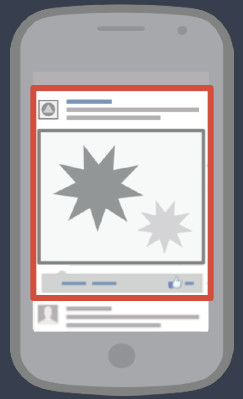
Facebook placement can be in the feed, the right hand column, on mobile or on tablet. The easiest way to set this up is to allow Facebook to place ads where they work best for you. You do, however, have the option of defining where you want them to show up.
Mobile
Desktop

Right Column on Desktop

For spend, that part is up to you. In the next chapter you’ll learn how to measure — and maximize — your Facebook profitability.
