direct tag

Build models & dashboards faster with Watch Window

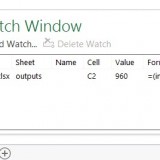
Here is a familiar scenario: You are building a dashboard. Naturally, it has a few worksheets – data, assumptions, calculations and output. As you make changes to input data, you constantly switch to calculations (or output) page to check if the numbers are calculating as desired. This back and forth is slows you down.

Use Watch Window to reduce development time. Continue reading

direct tag

direct tag

direct tag

direct tag

direct tag

direct tag

direct tag

direct tag

CP043: My favorite time saving features of Excel, Revealed.

In the 43rd session of Chandoo.org podcast, let’s talk about top time saving features of Excel.

What is in this session?

In this podcast,

  • Quick announcement about Awesome August
  • My 9 favorite time saving features of Excel
  • Remove Duplicates
  • Tables
  • Pivot Tables
  • Auto fill
  • Format Painter
  • Find & Replace
  • VBA / Macro Recorder
  • Auto save
  • Auto complete / Intellisence
  • Recap & Conclusions

Continue reading

direct tag

direct tag

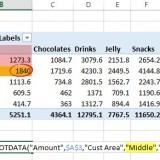
Use GETPIVOTDATA to integrate pivot tables with dashboards

Pivot tables are very powerful analysis tools. They can summarize vast amounts of data with just few clicks. But they are lousy when it comes to output. Imagine the horror of putting a pivot table right inside your beautiful dashboard. One refresh could ruin the layout and create half-an-hour extra work for you.

How to combine the power of pivot tables with elegance of your dashboards?

The answer is: GETPIVOTDATA() Continue reading

direct tag

direct tag

direct tag

direct tag

Why You Shouldn’t Over-Plan

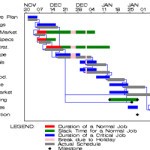
gantt chart

Planning is the basis of any productivity system. Yet many people struggle with the two extremes: under- and over-planning. Today we will look at why you shouldn’t over-plan and how to make sure you are planning at the right level.

The post Why You Shouldn’t Over-Plan appeared first on Simple Productivity Blog.


More great content can be found on the site at Simple Productivity Blog., or you can find me on Twitter (@SmplProdBlog) and Facebook (Facebook.com/SimpleProductivity).


Continue reading

direct tag

direct tag

Dynamic Print Areas

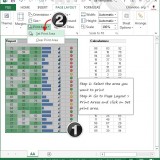
Yesterday, you learned about Print Areas – a time & paper saving feature of Excel. While print areas are great, you can only set up one print area per sheet. What if you want to print either report or data based on user selection? 

In such cases, you can set up dynamic print areas. 

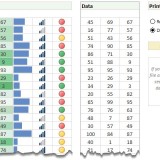
That is right. See above demo to understand how it looks. Read on to learn how to set up dynamic print areas. Continue reading

direct tag

direct tag

direct tag