We’re all sick of winter. The first sign of spring where I live is the daffodils poking their cheery yellow heads out. So they’re poking out on this month’s forms, too.
The post New Productivity Forms: April 2015 appeared first on Simple Productivity B… Continue reading
Category Archives: Productivity
Open Loops 4/3/2015
On Fridays I pull the best of my blog readings to share with readers. Topics can come from anywhere, and cover anything. This week I highlight articles on
Robert Fulghum’s take on Girl Scout cookies
A single question that can help you avoid impulse pu… Continue reading
Annual Reader Survey Open For Responses
Please take the 2015 Annual Reader Survey and enter for a chance to win a $25 Amazon gift card!
http://goo.gl/forms/apLVzsyZ4A
The post Annual Reader Survey Open For Responses appeared first on Simple Productivity Blog.
More great content can be found… Continue reading
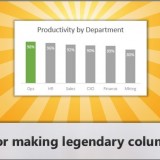
CP032: Rules for making legendary column charts
In the 32nd session of Chandoo.org podcast, let’s make legendary column charts.
What is in this session?
Column charts are everywhere. As analysts, we are expected to create flawless, strikingly beautiful & insightful column charts all the time. Do you know the simple rules that can help you create legendary column charts?
That is our topic for this podcast session.
In this podcast, you will learn
- Few personal announcements
- Rule 0: Start at zero
- Rule 1: Sort the chart
- Rule 2: Slap a title on it
- Rule 3: Axis + grid-lines vs. Lables
- Rule 4: Moderate formatting
- Conclusions
A Very Subtle April Fool’s Prank

I know I normally do joke posts on April Fool’s Day, but this year I couldn’t think of anything feasible. So I will tell you my favorite prank instead. Note: this has worked on Windows XP, and currently works in Windows 7 and Windows 8.
The post A Very Subtle April Fool’s Prank appeared first on Simple Productivity Blog.
More great content can be found on the site at Simple Productivity Blog., or you can find me on Twitter (@SmplProdBlog) and Facebook (Facebook.com/SimpleProductivity).
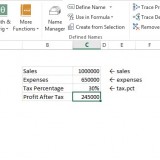
Use apply names to create readable formulas [quick tip]
We all know that using named ranges is a good practice. So you went ahead and created names for every value in your complex workbook. But now, what about those formulas which still refer to cells by their addresses? Here is a quick tip to make your formulas readable by replacing cell addresses with the names in one go.
Use Apply Names feature. Continue reading
A Balanced Life and Work
Today we’re going to look at “work some” in the context of living a productive and balanced life.
The post A Balanced Life and Work appeared first on Simple Productivity Blog.
More great content can be found on the site at Simple Productivity Blog., o… Continue reading
Change Is Here – Ads On The Blog

I have been doing a lot of thinking and measuring lately, and I decided it was time for change on the blog. For many years I have been relying on affiliates and ad networks to bring in enough money to cover the blog expenses. Those expenses are just for the outside bills…hosting, newsletter service, social […]
The post Change Is Here – Ads On The Blog appeared first on Simple Productivity Blog.
More great content can be found on the site at Simple Productivity Blog., or you can find me on Twitter (@SmplProdBlog) and Facebook (Facebook.com/SimpleProductivity).
Open Loops 3/27/2015
On Fridays I pull the best of my blog readings to share with readers. Topics can come from anywhere, and cover anything. This week I highlight articles on:
How to know what you’re motivated by
Google Contacts
How to save money on food
Removing stains
… Continue reading
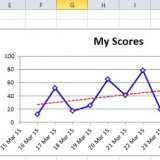
Conditionally Format Chart Backgrounds
Learn two techniques to conditionally format the background of a chart based on some external value. Continue reading