direct tag

Work with charts faster using selection pane & select object tools [quick video tip]

Working with multiple charts (or drawing shapes / images) can be a very slow process. But here is a secret to boost your productivity.

Use selection pane & select object tools

Selection Pane & Select Objects?

If you have never heard of these, don’t worry. These are 2 very powerful features hidden in Excel. Once you know how to unlock them, you will never look back.

How to use selection pane & select object tools to work with charts faster – Video

In this video, understand how to use these powerful features to work with charts faster.

Continue reading

direct tag

direct tag

Customer Appreciation Day Coming….

6510934443_8bd2942b79_m

Just a heads up that the 2015 Customer Appreciation Day will happen Saturday. Stay tuned for massive discounts…and if you receive the newsletter, you will get an exclusive freebie! (If you don’t receive the newsletter, you will still have a chance to sign up for the freebie) Photo by asenat29

The post Customer Appreciation Day Coming…. appeared first on Simple Productivity Blog.


More great content can be found on the site at Simple Productivity Blog., or you can find me on Twitter (@SmplProdBlog) and Facebook (Facebook.com/SimpleProductivity).


Continue reading

direct tag

direct tag

CP042: Financial Analysis & Modeling concepts – 101

In the 42nd session of Chandoo.org podcast, Let’s talk about money. We are going to learn about various concepts that are vital for doing financial analysis and building models.

What is in this session?

In this podcast,

  • Quick announcement about Awesome August
  • 5 key finance concepts
    • Time value of money
    • Compound interest
    • Risk free rate of return
    • Net Present Value – NPV
    • Internal Rate of Return – IRR
  • Case study – Uber vs. Your car
  • Conclusions

Continue reading

direct tag

direct tag

direct tag

direct tag

VLOOKUP the last value

VLOOKUP is one of the most useful Excel functions. So much so that I even wrote a book about it. But it has one serious limitation.

It looks up the first occurrence and returns corresponding data.

What if you want to find the last value?

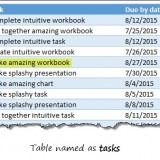
Say, for example, you are looking at a task assignment list and want to know what is the last task assigned to employee Emp13?

We want to extract the task “Make amazing workbook”. Of course our good old VLOOKUP stops once it finds Emp13 and returns the answer as “Create intuitive workbook”. Continue reading

direct tag

direct tag

direct tag

direct tag

Make bar charts in original order of data for improved readability [charting tip]

To make friends in a new town hit the bars – Old saying.
To make sense of a new data-set, make bar charts – New saying.

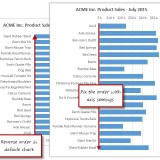
Bar charts (or column charts if you like your data straight up) are vital in data analysis. They are easy to make. But one problem. By default, a bar chart show the original data in reverse order.

See the above example.

Unfortunately, we humans read from top to bottom, not the other way around. Continue reading

direct tag

direct tag

direct tag

direct tag

direct tag

direct tag

Remove duplicate combinations in your data [quick tip]

By now, we know how to remove duplicates from data. You can use the Remove Duplicates button to do that.

But do you know that we can use remove duplicates button to get rid off duplicate combinations too?

Remove duplicate combinations – Tutorial

To remove duplicate combinations in your data, just follow below 4 steps:

  1. Select your data
  2. Click on Data > Remove Duplicates button
  3. Make sure all columns are checked
  4. Click ok and done!

See this demo: Continue reading

direct tag